With the introduction of actions and the prompts: go and links, Pandi serves as a good general purpose search engine. I’ve been using it as the default search engine in Chrome desktop for a couple of weeks I’ve had no need to use any other search engine.
Steps to follow to set AskPandi as default search engine in Chrome:
1 Open Chrome and click on the three vertical dots and then click settings.

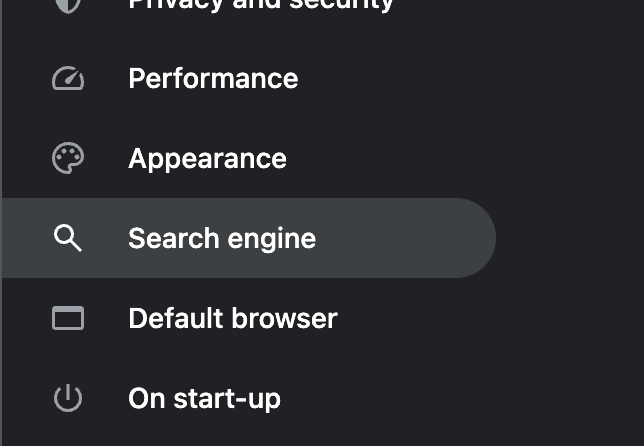
2 Click on “Search Engine”
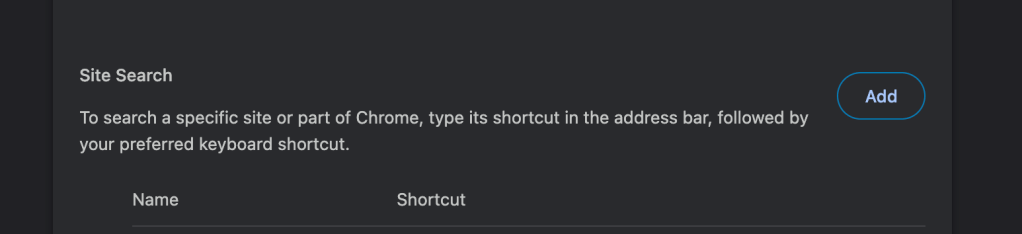
3 Click on ‘Manage search engines and site search’. Then in the Site Search section, click on Add and fill the name shortcut and url.
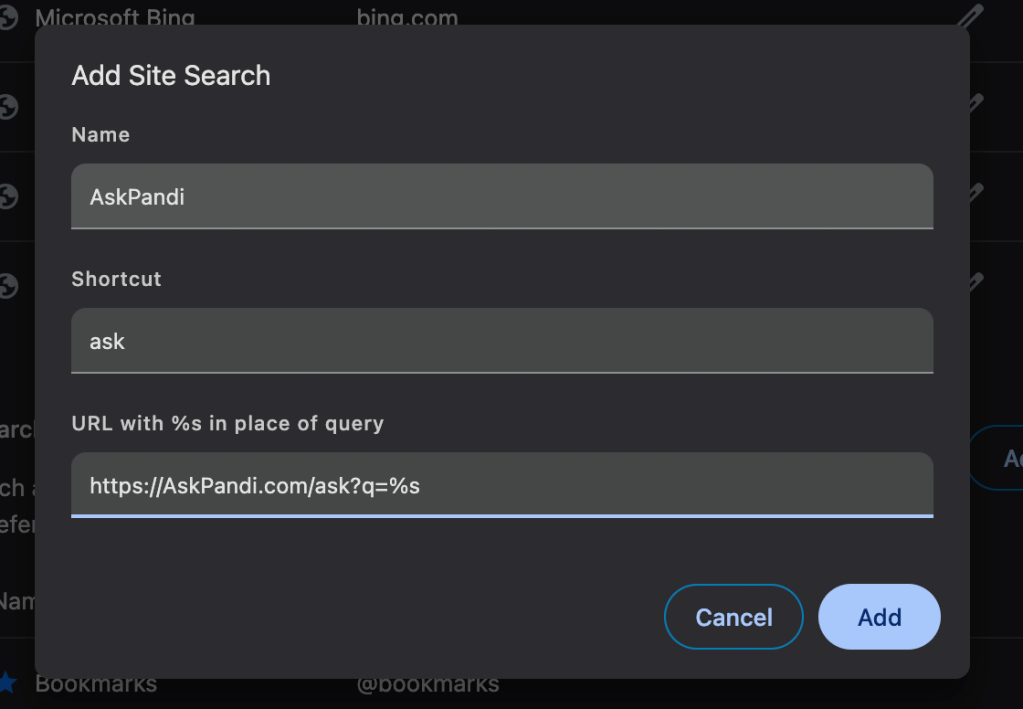
Use https:://AskPandi.com/ask?q=%s as the URL. The %s will be replaced with whatever query you add in the browser navigation bar.
4 Click on “Make Default” to make AskPandi the default search engine in Chrome.
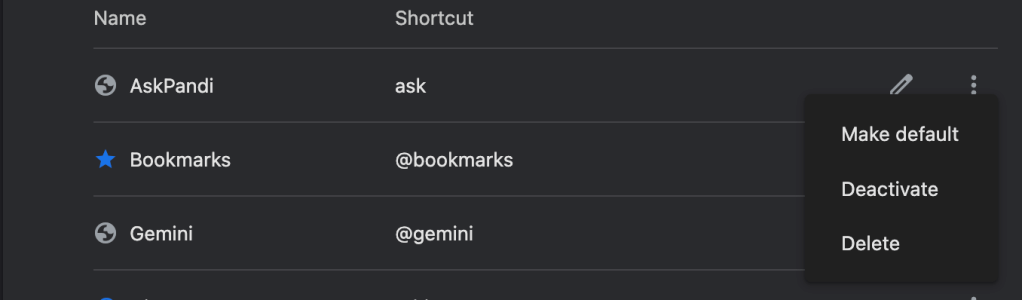
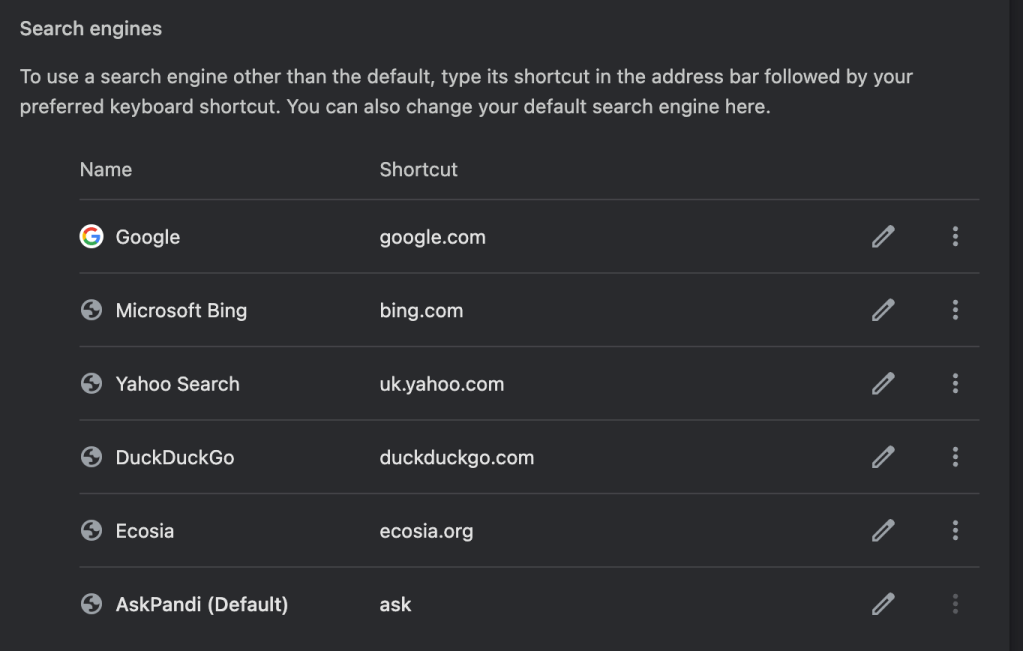
AskPandi is now your default search engine, accessible directly from the Chrome Desktop navigation bar.
TIP: The key adjustment you’ll need to make is getting familiar with two powerful prompts: “go $query” and “links $query.”
- “Go $query” takes you directly to a webpage. For instance, typing “go amazon socks” will take you straight to Amazon’s page for socks.
- “links $query” fetches a list of Google search results. For example, “links download vscode” will give you relevant links to download VSCode in Google.
Happy searching.
 Pandi Blog
Leave a comment